Modeled cost on a $12 tournament ticket
TixFlo0.5 $0.50
Manual gates1.86 $1.86
TixFlo helps tournament organizers sell admission, manage ticket types, deliver QR passes, and scan spectators quickly across high-traffic arrivals and volunteer-run entrances.
Built for tournament directors, youth sports programs, school athletics, club teams, showcase operators, and booster volunteers that need clear checkout, payment-aware QR tickets, and fast front-door scanning.
The best ticketing platform is not just the one with the longest feature list. It is the one that protects revenue, makes checkout clear, and helps staff run the door without confusion.
Use these visual comparisons as a quick read before using the full calculator. Numbers are defaults for the page scenario and can vary by processor, configuration, and fee pass-through settings.
Use this calculator to model the organizer-side impact when fees are absorbed by the event. If you pass fees to buyers, the same savings can help lower the final checkout total or make pricing easier to explain.
The manual-gate alternative models a higher operational cost: $1.50 per ticket plus 3% estimated leakage from cash handling, duplicate admissions, reconciliation errors, or staff time. Edit the defaults for your tournament size.
Based on 1,800 tickets at $12.00 each, with roughly 900 orders.
These screenshots highlight the pieces tournament operators usually care about most: ticket choice, QR access, and fast validation at a busy entrance.
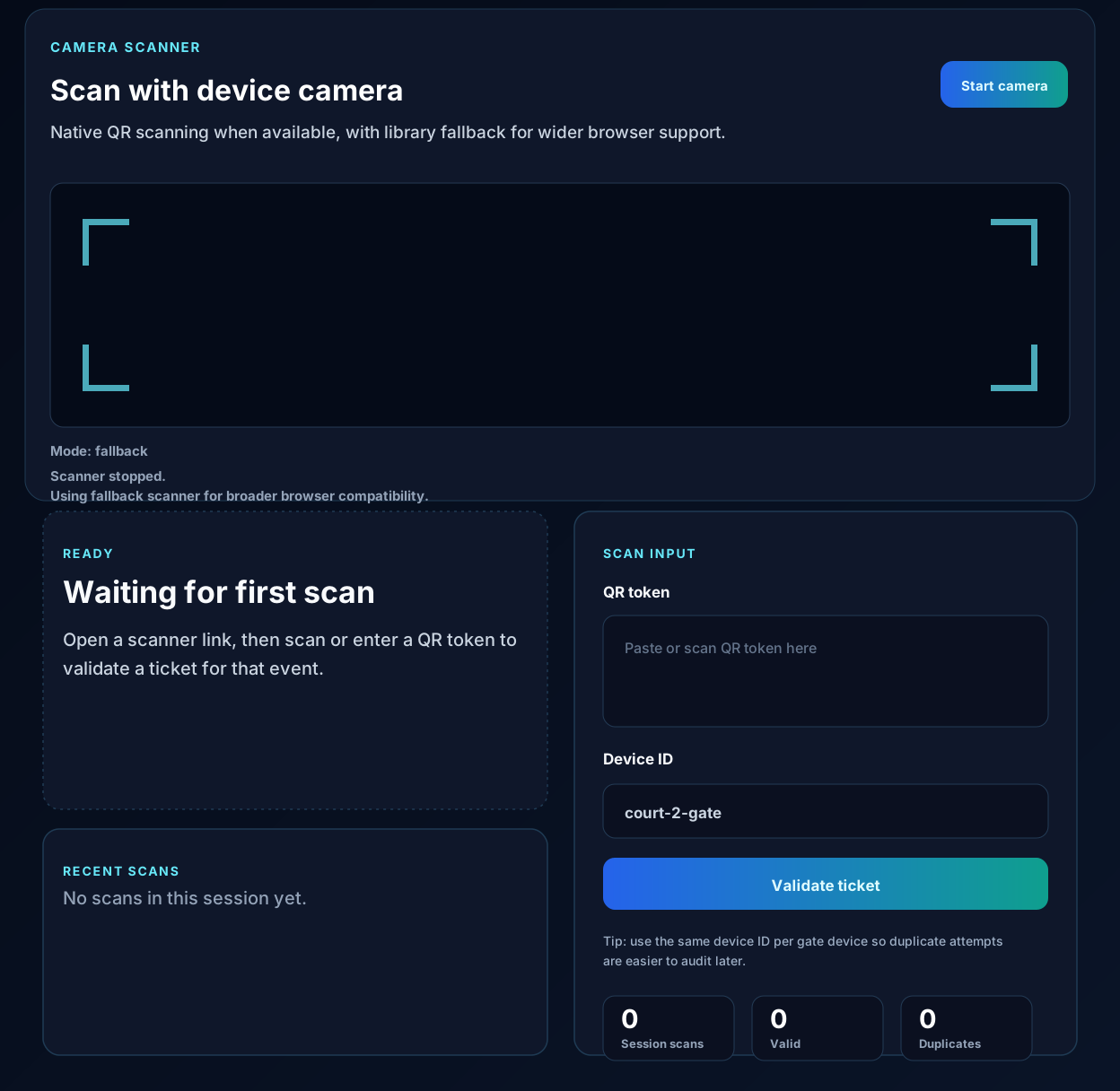
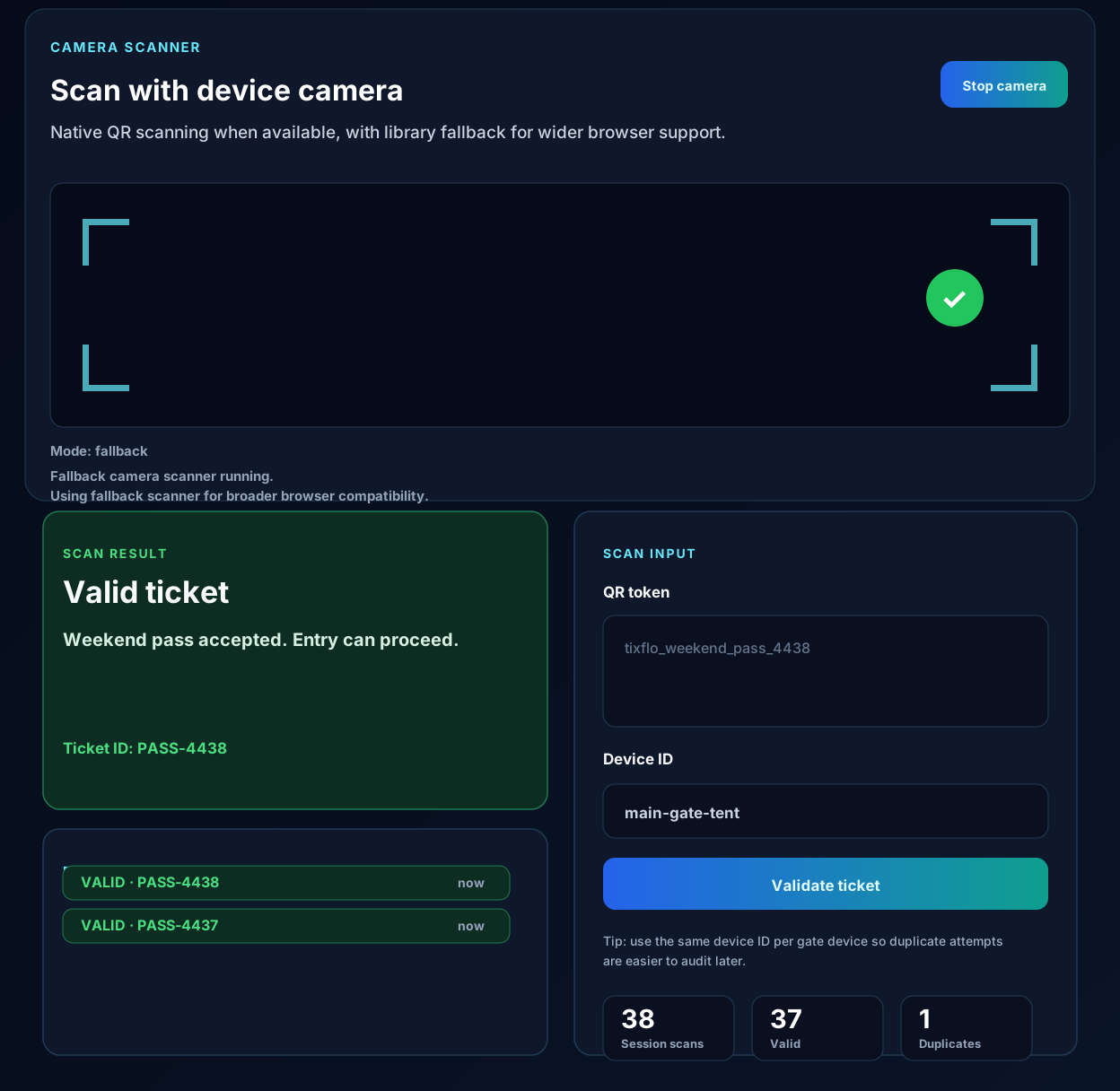
A tournament is not a quiet single-door event. Spectators arrive before early games, again when brackets shift, and again when championship rounds begin. Families may buy multiple tickets at once, volunteers may rotate every few hours, and the person at the entrance may need to answer schedule questions while also validating admission.
TixFlo is designed to keep the admission workflow focused. Organizers publish an event page, buyers choose the right ticket type, checkout happens through a hosted payment processor, and QR tickets unlock after payment. At the gate, staff can scan instead of searching paper lists or counting cash under pressure.
When spectators buy before they arrive, the organizer gets a clearer signal about expected attendance. That helps with staffing, entrance layout, parking expectations, and whether additional ticket communication is needed. It also reduces the number of people trying to pay at the same table when games are about to start.
Pre-sold ticketing does not remove every gate question, but it shifts the line from payment collection to validation. That is a much better problem to solve during a rush window because scanning a QR ticket is faster than explaining prices, handling change, or troubleshooting a payment app.
Tournament entrances are often temporary. A folding table, a tent, a gym lobby, or a field gate may become the front door. The check-in process has to work without dedicated hardware or a full box-office setup. Mobile-friendly QR validation helps volunteers do the job with less training.
That repeatability is especially useful when tournaments have multiple sessions or entrances. Instead of inventing a separate process for each gate, organizers can give volunteers the same basic instruction: scan the ticket and follow the status.
Tournament directors need to understand whether the event worked financially. Ticket revenue may support facility rental, officials, trainers, security, awards, travel, scholarships, or future programming. Manual admission makes that analysis harder because cash counts and informal exceptions rarely tell a complete story.
TixFlo gives organizers a clearer set of orders, ticket types, and scan activity. That record can help reconcile event performance, answer buyer questions, and improve pricing for the next tournament.
Pre-sold QR tickets help turn the entrance from a payment bottleneck into a validation point.
Ticket types can support different admission options without relying only on signs and verbal rules.
Orders and scan activity make tournament performance easier to understand after the weekend ends.
Yes. TixFlo can publish event pages with ticket quantities and hosted checkout so spectators can buy before arriving.
Yes. QR tickets let staff validate paid admission quickly, which can reduce bottlenecks during peak arrival times.
Yes. Organizers can create multiple ticket types for the event, such as general admission, student tickets, or pass-style options.
No. The same ticketing flow can support showcases, competitions, school events, performances, and community events.
Ready when your doors open
Use the organizer portal to create a test event, connect Stripe or Square, and share a polished ticket page.